

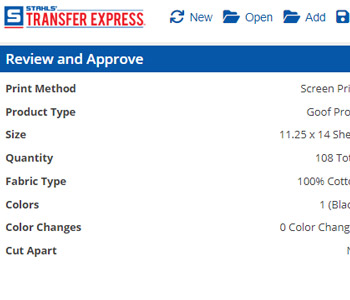
In Easy View® online designer, pricing is calculated on the fly as you design. As you add your art, quantity needed, ink colors, etc, the price will update in the bottom right pricing area. …
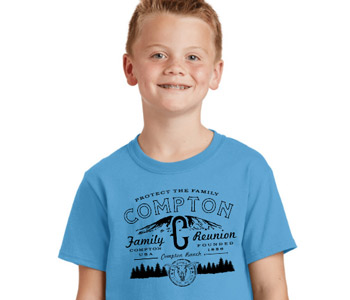
Share Your Easy View Creations with Customers
One of the best features in the Easy View® online designer is the Mock Up feature. This feature allows you to add your image to apparel, a model, or a background, add a watermark, and download…
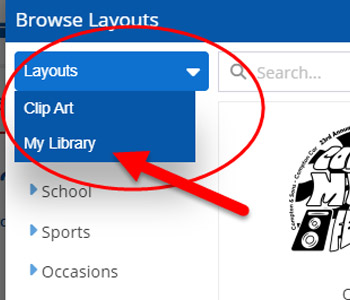
Save Designs in Easy View to “Your Library”
Easy View is a an amazing design tool. You can make multiple of designs in minutes. As you create them for you or your customer, you will want to save your creations to your “My Library”…
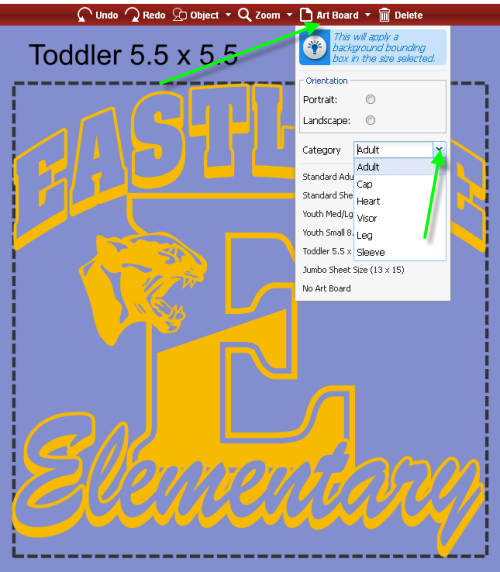
Using the Easy View Art Board To Make Transfers The Right Size
Our new and improved Easy View® online designer gives you unmatched options to do anything you want with your design. This includes the ability to size your design specifically the way you want it. This is…
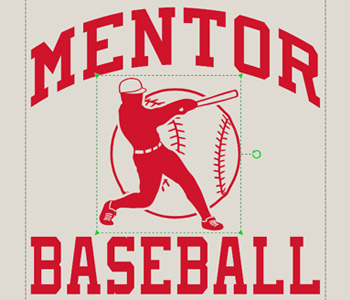
Resizing an Easy Prints® Layout, Clip Art and Text in Easy View®
Easy View® allows you as a designer to adjust many aspects of a design from colors to size. Changing the size of a the text, clip art or entire design gives you the flexibility to create…
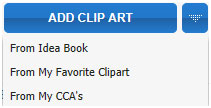
Using Your Own Clip Art in Easy View®
Although we have the largest collection of clip art in the industry, there are times when a school or company has their own logo they want to use in layouts. If you have a unique logo…
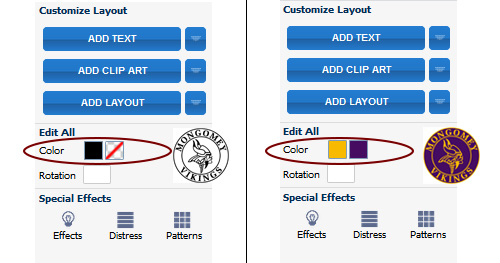
Creating Multi-Colored Transfer Designs with Easy View
The new Easy View® designer has made it so easy to create custom designs and to make those designs the colors that you need them to be. Check out the above video to get a quick…

Gang Sheets Are Easy With Easy View
If you’ve ever worked with us at Transfer Express before, then you know about gang sheets. If you haven’t, a gang sheet happens when we take multiple designs and put them all together on the same…

Adding Additional Text or Clip Art
In Easy View® online designer, we’ve used one of the layouts and changed the text and clip art for our customer. But they now want to add an extra line of text and a clip art.…